
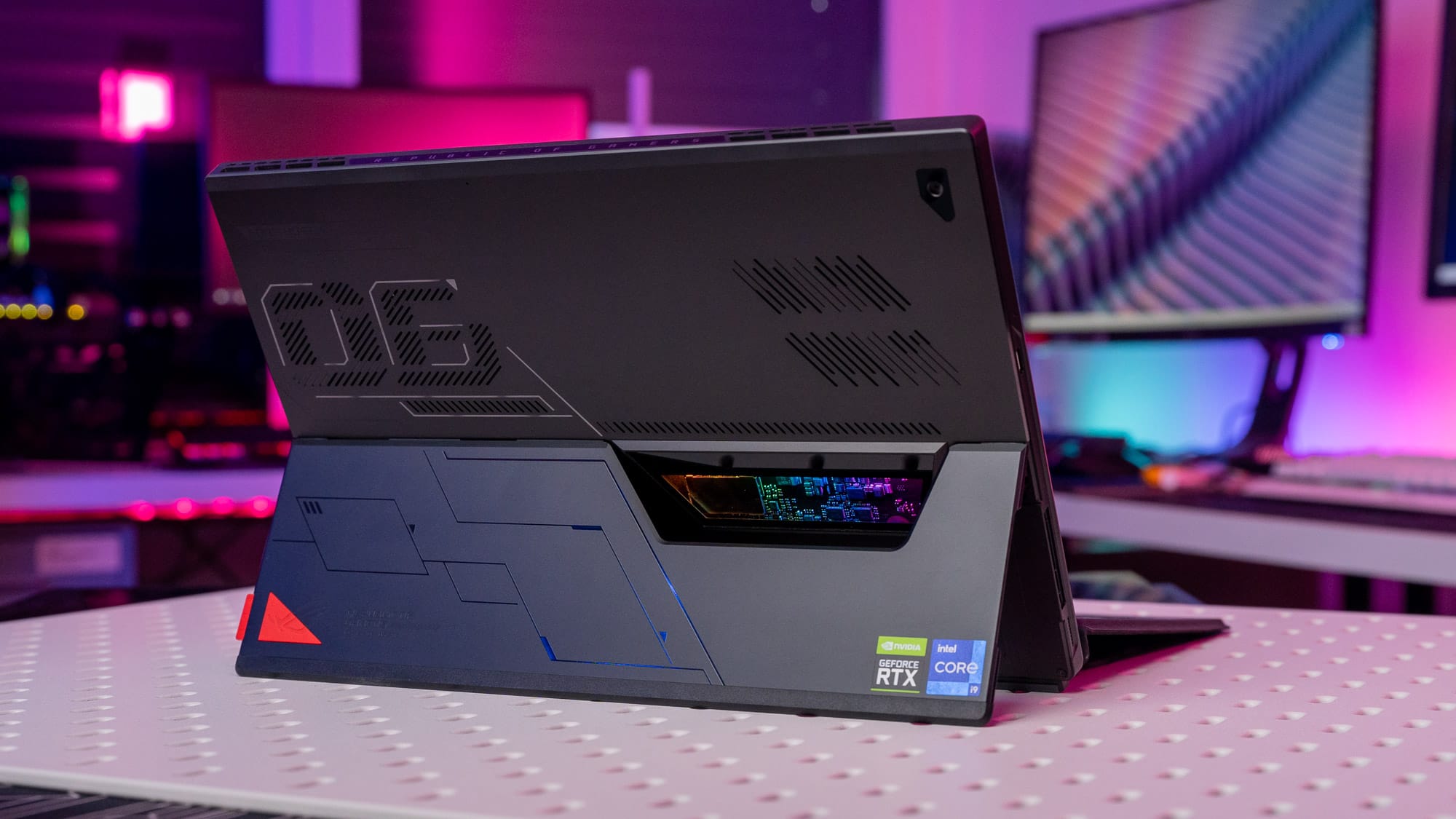
Best Gaming Tablet you can find right now!
In the realm of gaming laptops, the ASUS ROG Flow Z13 stands as a formidable contender, blurring the lines between traditional gaming laptops and 2-in-1 tablet hybrids. Packed with impressive performance, sleek design, and a unique feature set, this powerhouse challenges the status quo and offers a compelling alternative to the Microsoft Surface. Join us as we delve into the depths of the ROG Flow Z13, exploring its build, features, performance, and more in this comprehensive review.
Build Quality and Design – ASUS ROG Flow Z13
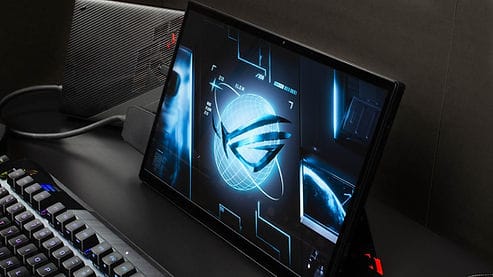
The ROG Flow Z13 embraces a gamer-centric aesthetic, complete with eye-catching RGB lights that proclaim its ASUS gaming pedigree. The tablet exudes a sense of premium craftsmanship, boasting an all-aluminum construction that feels robust and luxurious in hand. Its svelte form, weighing around 1.1 kilograms without the keyboard and 1.5 kilograms with, redefines lightweight portability for a gaming-centric device. A noteworthy addition is the sturdy kickstand, which can be extended up to 170 degrees, providing a rock-solid foundation without the annoyance of wobbling hinges.
Port Selection and Input – ASUS ROG Flow Z13
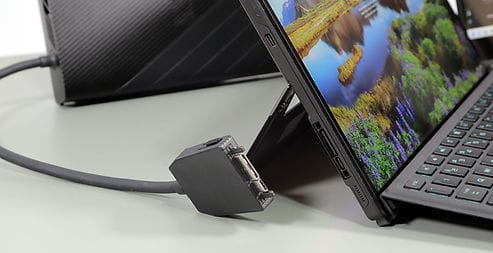
In terms of connectivity, the ROG Flow Z13 leaves no stone unturned. With a diverse array of ports, including USB 2 Type-A gen 1, dual USB Type-C (one featuring Thunderbolt support), a headphone-microphone combo jack, power input, and the innovative ROG XG PORT, this laptop-tablet hybrid doesn’t compromise on versatility. The ROG XG PORT goes the extra mile, doubling as an additional USB Type-C port while facilitating the connection of external GPUs, ushering in a realm of unprecedented performance in a compact package. While not groundbreaking, the ROG Flow Z13’s camera setup presents decent usability. A 720p front camera and an 8MP rear camera, capable of full HD video, elevate the tablet above the average laptop camera quality.
Keyboard and Trackpad – ASUS ROG Flow Z13
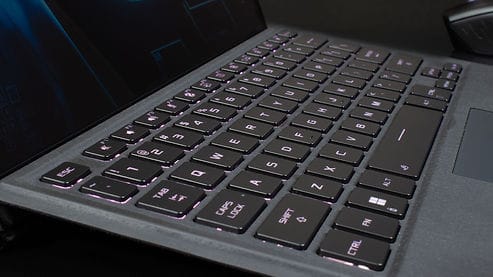
The detachable keyboard, reminiscent of the Surface Pro, adds to the device’s practicality. Backlit and RGB-enabled, the keys offer comfortable travel, although the thin design brings about a slight flex. The trackpad, while compact, proves manageable with time and patience.
Sound Quality – ASUS ROG Flow Z13

The tablet’s audio quality shines through its speakers, offering resonant sound with a notable presence of bass and clarity. While not on par with the likes of an iPad or Galaxy tablet, the ROG Flow Z13’s audio performance holds its own, providing a satisfying listening experience.
Display Quality – ASUS ROG Flow Z13

The display on the ROG Flow Z13 is an absolute treat, catering to both gaming and content creation needs. Boasting a 13.4-inch full HD IPS touchscreen with a 120Hz refresh rate, the tablet’s accurate colors, 100% sRGB coverage, impressive brightness, and wide viewing angles tick all the right boxes. The 16:10 aspect ratio enhances screen real estate for editing, but keep in mind the potential for black bars in certain applications.
Performance – ASUS ROG Flow Z13

| Component | Specification |
|---|---|
| CPU | Intel Core i7-12700H |
| RAM | 16GB LPDDR5 |
| Storage | 512GB PCIe SSD |
| GPU | NVIDIA GeForce RTX 3050 |
| Operating System | Windows 11 Home |
Under the hood, the ROG Flow Z13 roars to life with a jaw-dropping spec sheet. Featuring an Intel Core i7-12700H CPU, 16GB of LPDDR5 RAM, a speedy 512GB PCIe SSD, and the NVIDIA GeForce RTX 3050, this tablet-laptop hybrid challenges conventions and offers gaming and content creation capabilities that were once deemed impossible for such a form factor. From smooth 1080p gaming to 4K video editing, the Flow Z13 handles it all with aplomb. The optional Mobile XG DOCK opens the doors to even more performance possibilities by allowing GPU upgrades, akin to a full-fledged desktop PC.
Thermals – ASUS ROG Flow Z13
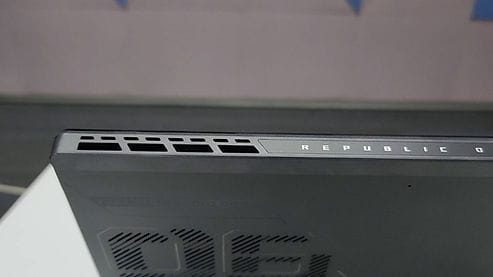
Thermal management receives an innovative touch with the inclusion of a vapor chamber cooling system. This strategic choice aids in efficient cooling, especially when coupled with the Mobile XG DOCK, showcasing ASUS’ dedication to optimal performance under pressure.
Battery Life – ASUS ROG Flow Z13

Where the ROG Flow Z13 stumbles slightly is in battery life. Sporting a 56-watt battery pack, moderate tasks yield around 4 hours of screen time, a limitation that diminishes further under gaming or resource-intensive workloads. However, the tablet’s redemption comes in the form of a blazing 100-watt charger that zips from 0 to 100% in under 2 hours, mitigating some of the battery woes.
Final Verdict – ASUS ROG Flow Z13
| ➕ Pros | ➖ Cons |
|---|---|
| + Unique Solid Build | – Below Average Battery Life |
| + Excellent 2-in-1 Performance | |
| + Upgradability with XG Dock | |
| + 100% sRGB & Smooth Display | |
With a price tag of $1300, the ASUS ROG Flow Z13 offers an enticing proposition for gamers and content creators seeking a versatile, high-performance 2-in-1 device. Its premium build, distinctive design, and captivating display make it a worthy adversary to the Microsoft Surface, especially for those prioritizing gaming prowess. While battery life may be its Achilles’ heel, the ROG Flow Z13 remains a commendable alternative that blurs the boundaries of possibility.
In Conclusion:
In the landscape of 2-in-1 gaming laptop tablets, the ASUS ROG Flow Z13 confidently stands out, flaunting its exceptional performance, sleek design, and versatile features. Whether you’re a gamer seeking an unconventional gaming machine or a creative professional looking to harness power in a compact form factor, the ROG Flow Z13 could be your answer. Despite a minor drawback in battery life, this device carves a unique niche and emerges as a strong contender in the realm of gaming laptops. Embrace the future of gaming and productivity with the ASUS ROG Flow Z13!